
Plandroid
Plandroid turns HVAC designs into fast, accurate material take-offs, helping contractors quote with confidence. Reduce manual calculations, minimise errors, and ensure consistent pricing across jobs. With seamless integration into Simpro, your take-offs flow directly into your estimating workflow, saving time and improving profitability.
Description
Plandroid is a leading brand that offers a user-friendly and efficient software tool for air conditioning system design and quoting. With Plandroid, professionals in the air conditioning industry can easily design and retrofit ducted air conditioning systems and generate accurate quotes. The software boasts a fully interactive graphical design interface, allowing users to create or modify designs right in front of the customer to ensure their needs are met. Plandroid supports both domestic and commercial design work, offering the flexibility to work with any combination of flexible and rigid ducting. It also provides features such as automatic duct sizing, hydronics design mode, and support for various types of air conditioning designs. The software allows users to import house plan images, draw building layouts, and calculate heat loads effortlessly. Additionally, Plandroid offers excellent support for multiple building levels and enables users to customize their designs with logos or images. With Plandroid, air conditioning professionals can streamline their design process and provide accurate quotes, ultimately saving time and improving efficiency.
Features
A simple and intuitive user interface
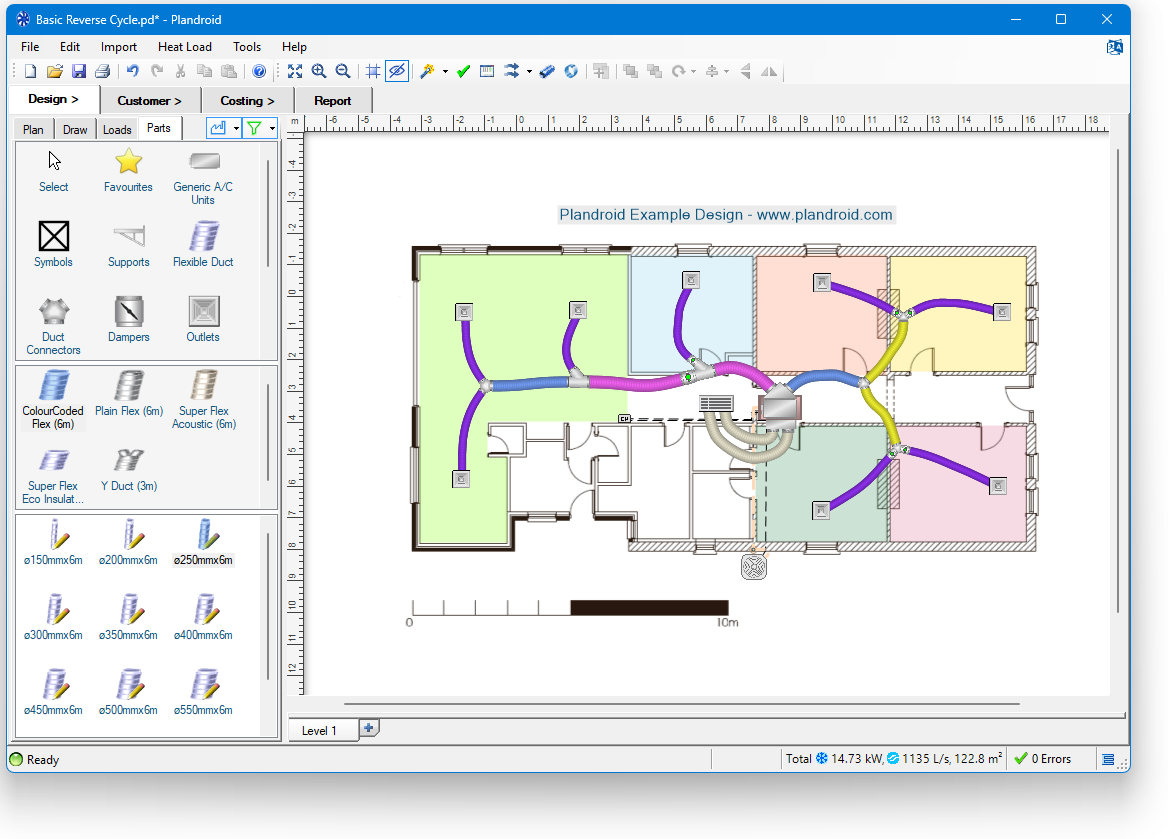
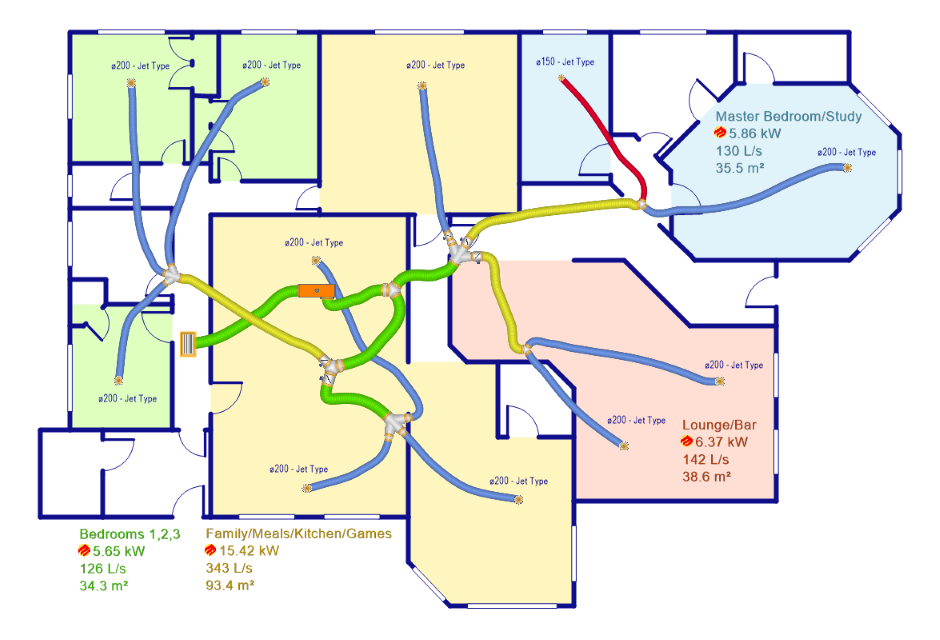
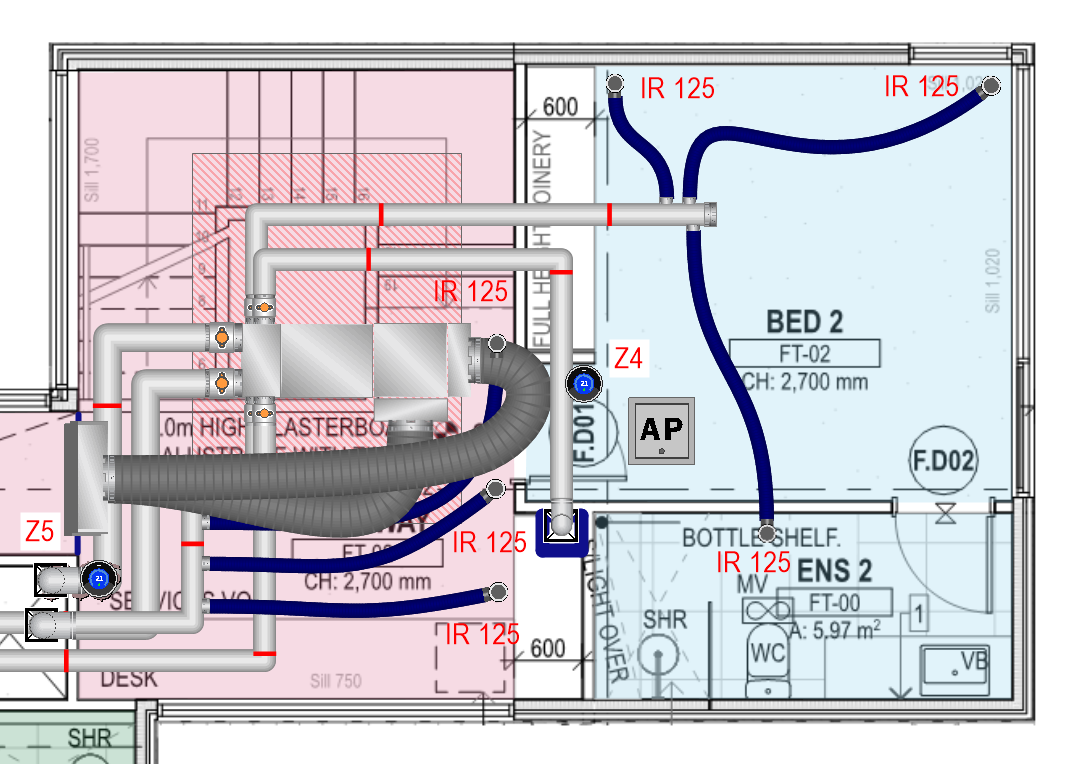
We support a fully interactive graphical design - if you can point-and-click, and drag-and-drop, then you can use Plandroid from day one. Creates beautiful and professional designs for your customers, but also your architects.
Calculates your heat loads
Choose from quick and simple area-based heat load calculations, or perform full material and climate-based detailed calculations.
Automatically lay out your designs
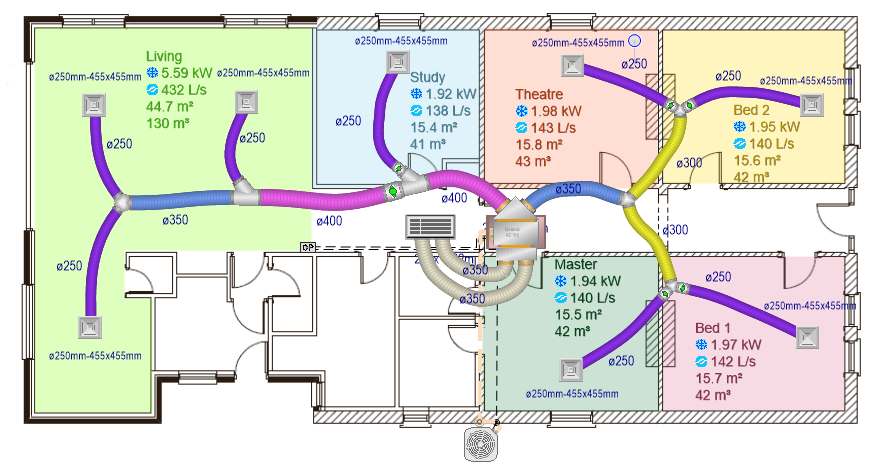
Let Plandroid propose your preliminary duct layout, or draw in your own ducting and let the program automatically size your ducting correctly for your requirements.
Supports all of your design modes
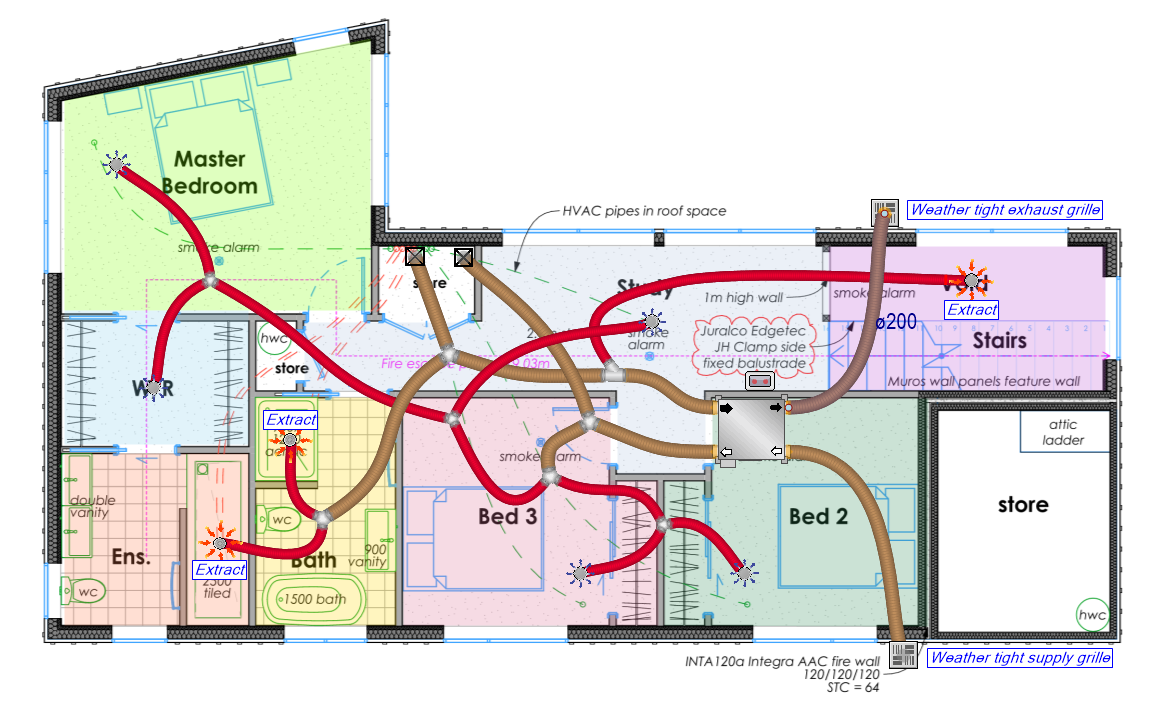
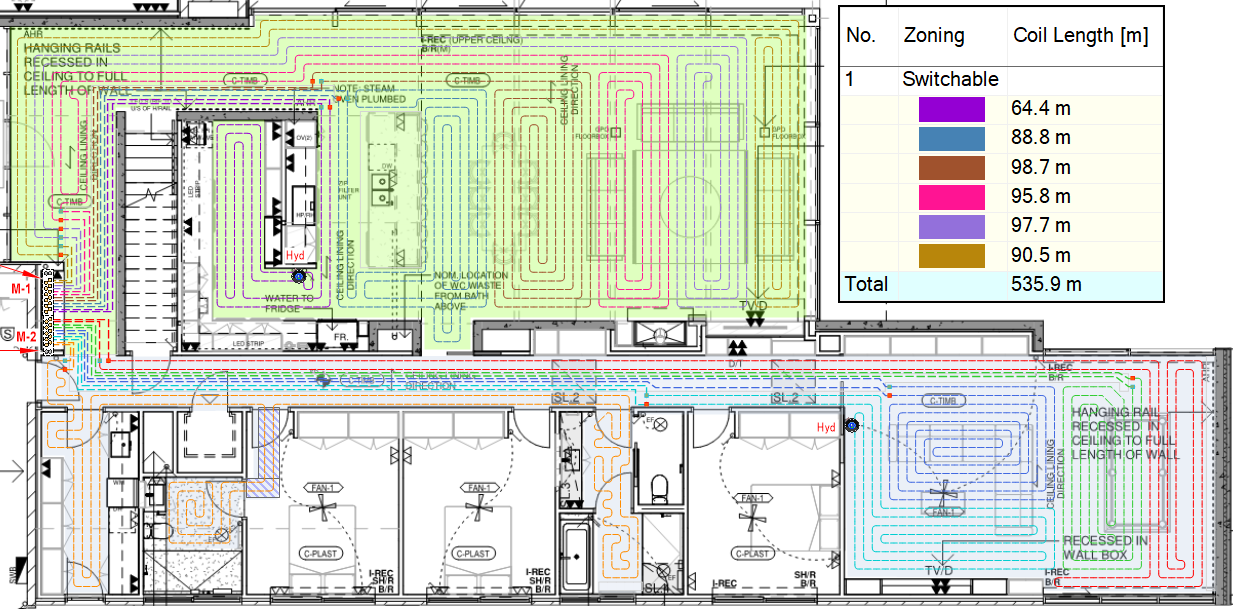
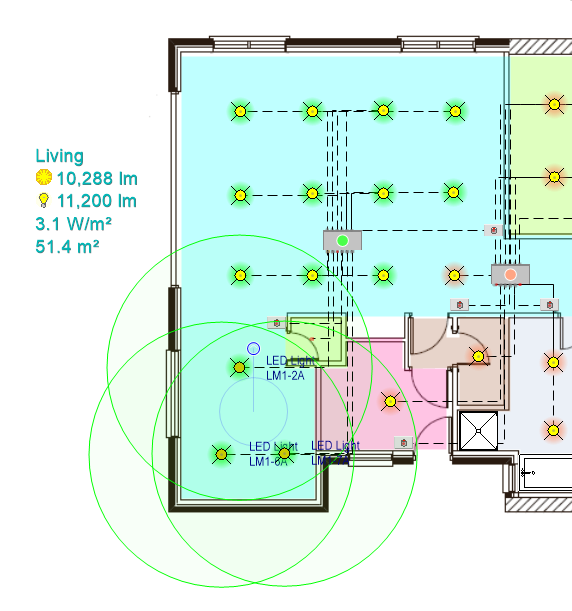
Create refrigerated, evaporative, or gas ducted heating designs. Includes a ventilation mode, and a sophisticated hydronics design mode for underfloor coils or above floor panels. Even do your lighting designs in Plandroid!
Make domestic or commercial designs
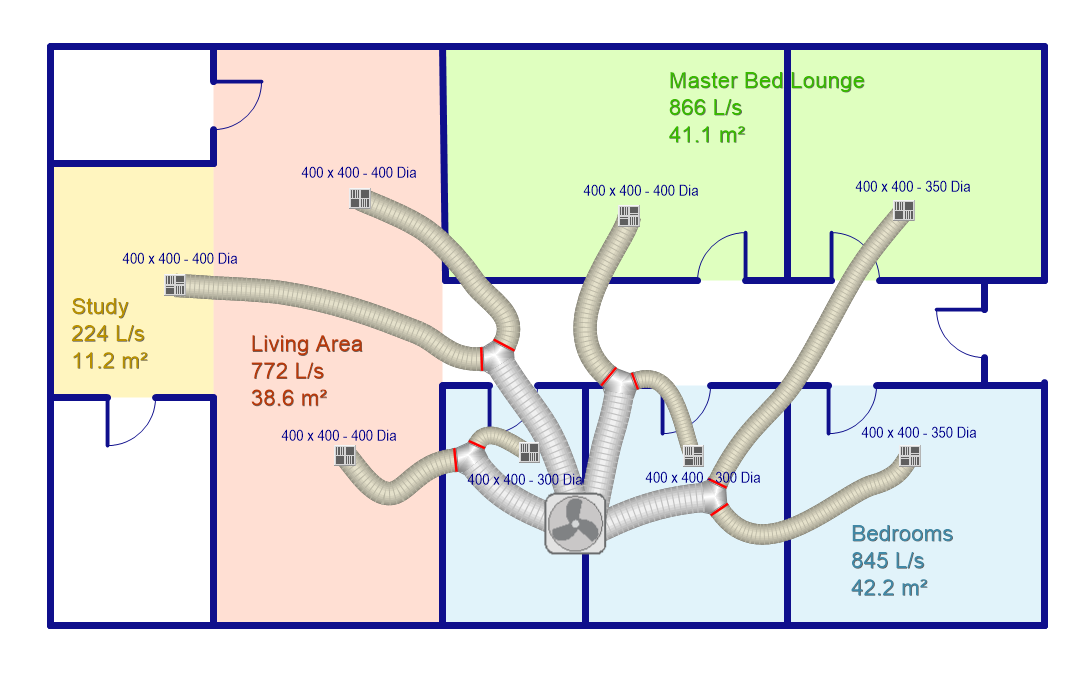
Plandroid supports flexible duct, rigid duct, & wall-mounted air conditioning designs. Price your design by components, or by the rigid ducting material you've used.
Media
Reviews
Pricing
A standard 1-year Plandroid licence is AUD$1263.64 (plus GST in Australia), with subsequent renewals at a 40% discount (AUD$758.18 + GST). Additional specialised licence modules are available for extra cost. Full price details are on our website.
Plandroid Pricing
AUD$1263.64
The listed price is for a 1-year subscription. Subsequent renewals have a 40% discount. Check our website for additional options.
- Try our 14-day full-functionality free trial.
* The pricing here is for display purposes only. You should contact the partner for the most up to date and correct pricing information. We do not take any responsibility for this pricing information, which is provided by our partners. Pricing last updated: 12 Apr, 2026 12:00AM
Resources
FAQ
Visit our online help documentation. For complete documentation about connecting Plandroid to external software including Simpro, visit our help documentation on integrating with external software.
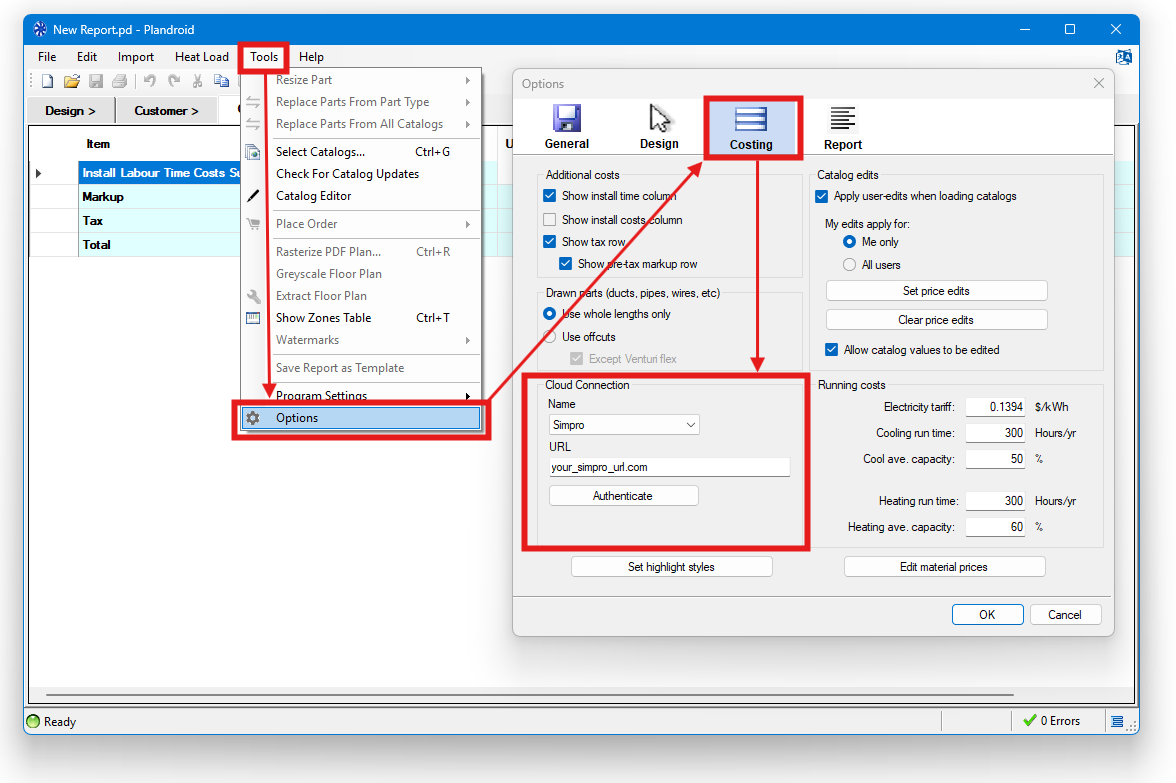
From within Plandroid, just go to the menu item Tools -> Options. Then go to the Costing tab, and then find the Cloud Connection settings. Select the Simpro connection, and enter your custom Simpro URL. Press the Authenticate button to go through the authentication process, and you're good to go.
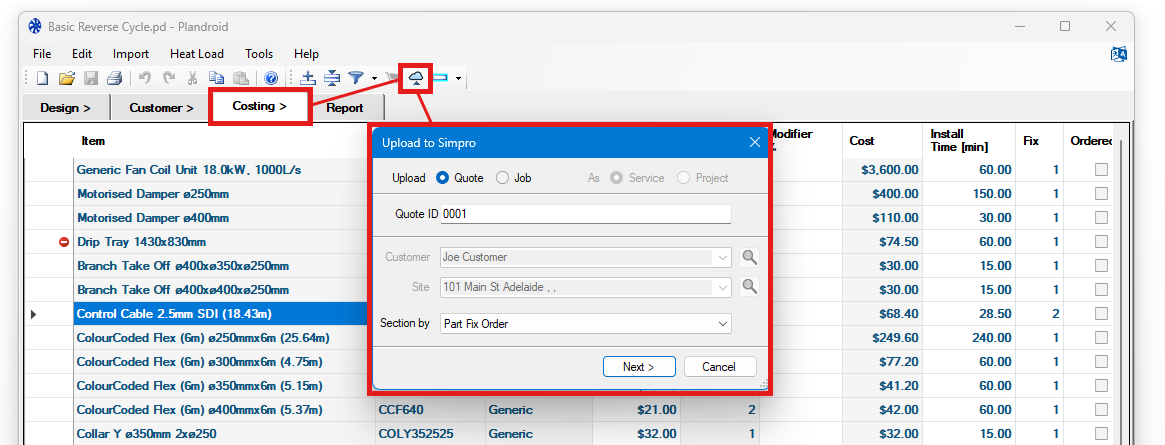
Once your integration has been set up, then on the Plandroid Costing page you will see the Upload to Simpro toolbar button will be active. When you are ready to upload your take-off list, press that button and you will see the dialog that lets you upload as a Quote or a Job. You can then either enter the quote or job ID that you want to upload to (or to create, if it's a new one), or enter the customer details that you want the quote or job to be attached to. Select how you want your cost centers to be sectioned, and the program will lead you through all the steps you need to get your data uploaded directly onto Simpro.
Yes! In the Plandroid Design -> Parts list (where you see the catalog parts you are using in Plandroid), right click in the catalog window to bring up the context menu and select Sync Catalogs. That will then let you either download your Simpro prices into Plandroid, or to upload the catalogs you have loaded in Plandroid into Simpro, so you don't even have to enter your parts list by hand into Simpro at all!