
Dispatch Layer - Turn shared mailbox emails into Simpro jobs
Every email in your shared mailbox becomes a ticket with the right customer, priority and SLA attached. When it turns out to be real work, one action creates the Simpro job with the details already filled in.
Description
Work arrives in a shared mailbox. Someone reads it, decides what matters, then opens Simpro and types it in again. That retyping is where detail gets lost and where the morning goes.
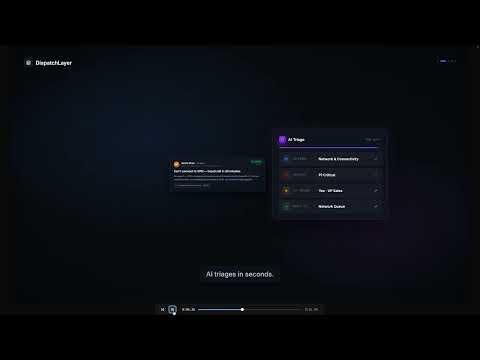
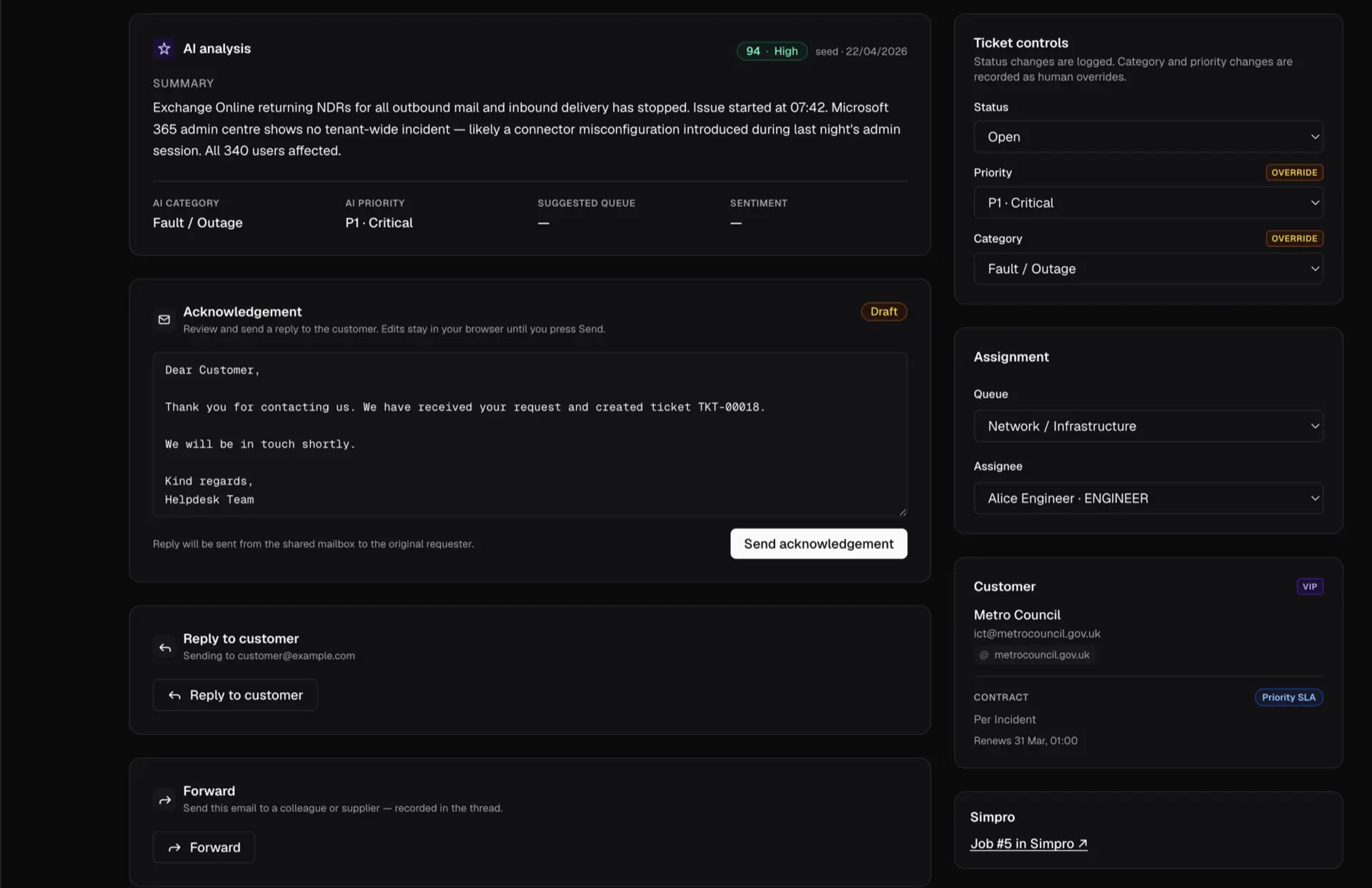
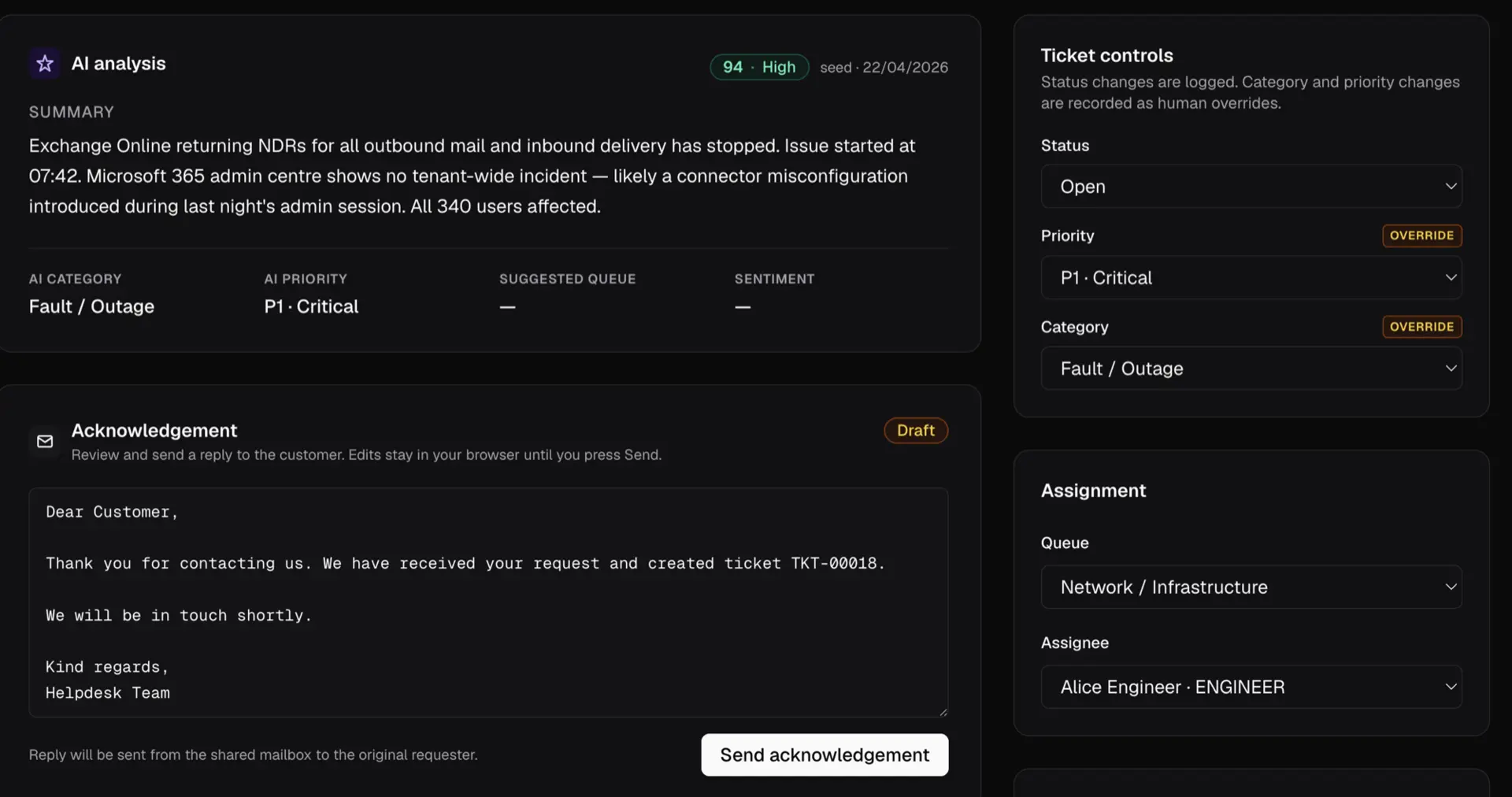
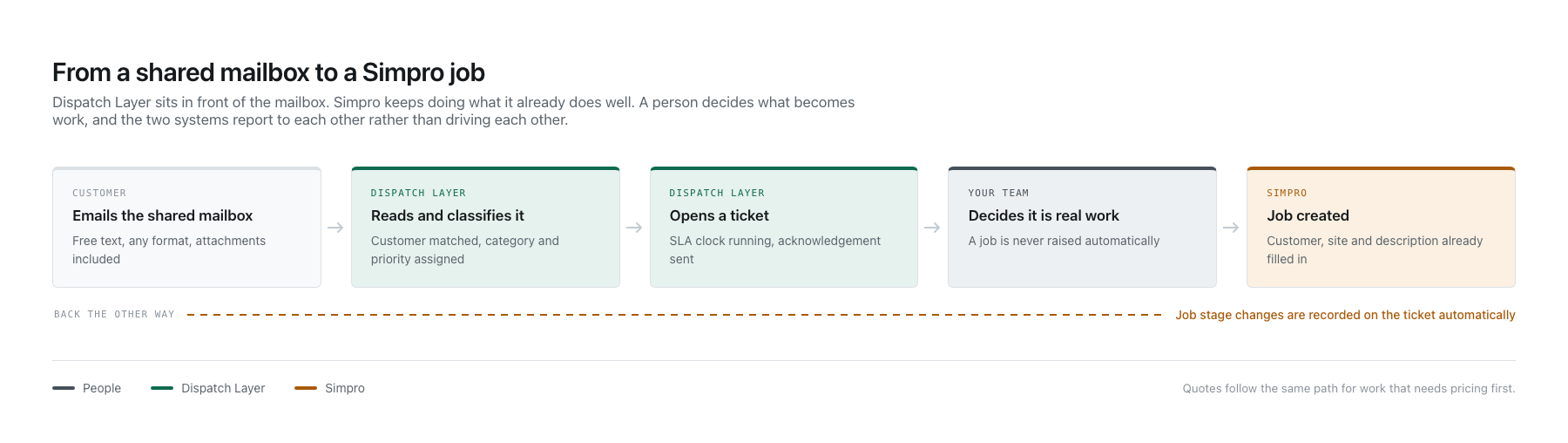
Dispatch Layer sits in front of that mailbox. It reads every email as it arrives, works out what it actually is, then opens a structured ticket against the right customer with a category, a priority and an SLA clock. Your team works a queue instead of an inbox.
Into Simpro, without the retyping
When a ticket turns out to be real work, one action creates the job in Simpro with the customer, site and description already filled in. Stage changes flow back onto the ticket automatically, so whoever logged it can see the job is progressing without having to ask. Where work needs pricing first, a quote can be raised the same way.
A job is never created without someone choosing to create it, and a ticket's status is never changed automatically by Simpro. The two systems report to each other rather than driving each other.
Built to be trusted with your build
Simpro API access is all or nothing, with no granular permissions available. Since the credential cannot be limited, we limit ourselves: a connection can be set read-only, where customers, sites and job stages are readable and nothing can be created. That is how we connect to any production build for the first time.
Every customer runs on their own isolated deployment with their own database. Role-based access control, multi-factor authentication and an append-only audit log come on every plan.
Who it is for
Trade businesses running a service desk. If you have a shared mailbox, engineers on sites and Simpro for the work itself, this is the gap it fills.
Dispatch Layer sits in front of that mailbox. It reads every email as it arrives, works out what it actually is, then opens a structured ticket against the right customer with a category, a priority and an SLA clock. Your team works a queue instead of an inbox.
Into Simpro, without the retyping
When a ticket turns out to be real work, one action creates the job in Simpro with the customer, site and description already filled in. Stage changes flow back onto the ticket automatically, so whoever logged it can see the job is progressing without having to ask. Where work needs pricing first, a quote can be raised the same way.
A job is never created without someone choosing to create it, and a ticket's status is never changed automatically by Simpro. The two systems report to each other rather than driving each other.
Built to be trusted with your build
Simpro API access is all or nothing, with no granular permissions available. Since the credential cannot be limited, we limit ourselves: a connection can be set read-only, where customers, sites and job stages are readable and nothing can be created. That is how we connect to any production build for the first time.
Every customer runs on their own isolated deployment with their own database. Role-based access control, multi-factor authentication and an append-only audit log come on every plan.
Who it is for
Trade businesses running a service desk. If you have a shared mailbox, engineers on sites and Simpro for the work itself, this is the gap it fills.
Features
Every email triaged the moment it arrives
Dispatch Layer reads your shared mailbox every sixty seconds through Microsoft 365. Each message is classified against your own categories, matched to the right customer, given a priority, then opened as a structured ticket. Nobody sorts an inbox by hand. Nothing sits unread because the person who usually reads it is on site.
One action from ticket to Simpro job
When a ticket turns out to be real work, raise the job from the ticket itself. The customer, site and description are already filled in. The original email travels with it. The job name carries the ticket reference so the two records find each other from either side. A job is never created automatically; a person always decides.
Job stages come back on their own
Turn on two-way sync and Simpro tells us when a linked job changes stage. The ticket records it and the assignee is notified on completion, so whoever logged the request can see the work is progressing without having to ask. Ticket status is never changed automatically: the two systems report to each other rather than driving each other.
An SLA clock on every request
Tickets carry a response deadline drawn from the customer's contract rather than a generic default. Teams working to service agreements can see what is due, what is close and what has breached, before a customer rings to ask.
Media

Integration Diagrams


Ticket
Job
Ticket
Quote
Customer
Customer
Site
Site
Reviews
Resources
FAQ
A shared mailbox in Microsoft 365 and a Simpro build. Your team carries on working the way they do now; Dispatch Layer reads the mailbox rather than replacing it.
No. You enter your build URL, sign in to your own build, then approve access. Dispatch Layer never sees your Simpro password, and there is no API key to generate, copy or store.
Simpro's API has no granular permissions, so any approved integration holds full access to a build. Since the credential cannot be limited, we limit ourselves. A connection can be set read-only, where customers, sites and job stages are readable and nothing can be created or changed. We use that for the first connection to any production build.
No. A job is only ever raised when someone chooses to raise it. When a Simpro job changes stage the ticket records it and the assignee is notified, but the ticket's status is never changed automatically.
Yes. After you approve access you choose which company to connect, from a list read live from your build. Nothing is preselected.
Not yet. Dispatch Layer reads shared mailboxes through Microsoft 365 today. Gmail and IMAP are on the roadmap rather than available now.
Every customer runs on their own isolated deployment with their own database. Nothing is shared between customers. Simpro credentials are encrypted at rest and are never shown again after saving.
Yes, at any time, from your own Simpro build. Access ends immediately.