BlueSafe
Turn Simpro job, customer and site details into prefilled SWMS, risk assessments and safety policies in BlueSafe. Collect worker signatures digitally, then upload completed PDFs back to the corresponding Simpro job—without re-entering job information.
Description
BlueSafe helps Australian Simpro customers create compliant, job-ready safety documents without copying customer, site and job details between systems. More than 10,000 Australian customers have purchased a Blue Safe package or individual document.
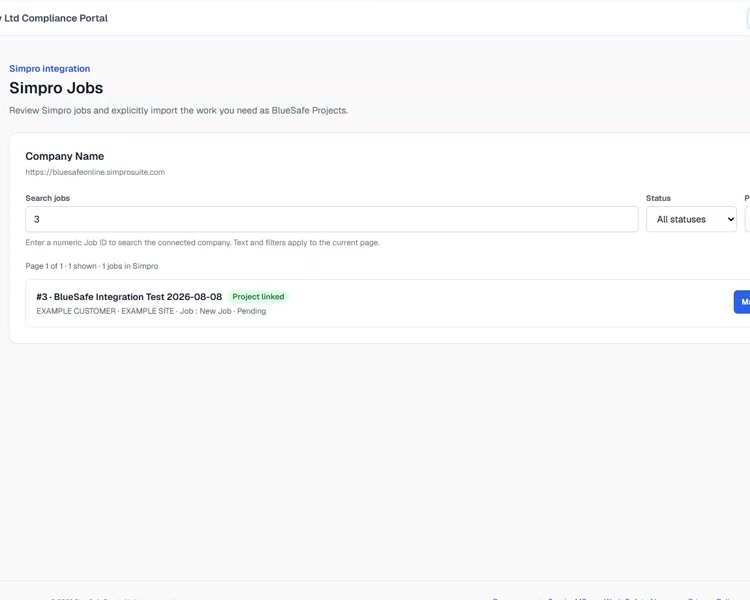
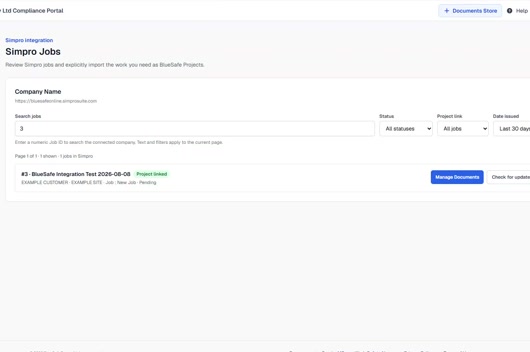
An authorised BlueSafe user selects the relevant Simpro job and imports its job, customer and site information into a linked BlueSafe project. The team can then prepare prefilled Safe Work Method Statements (SWMS), risk assessments, safety policies and other WHS documents in BlueSafe, and collect worker signatures digitally before completing the document.
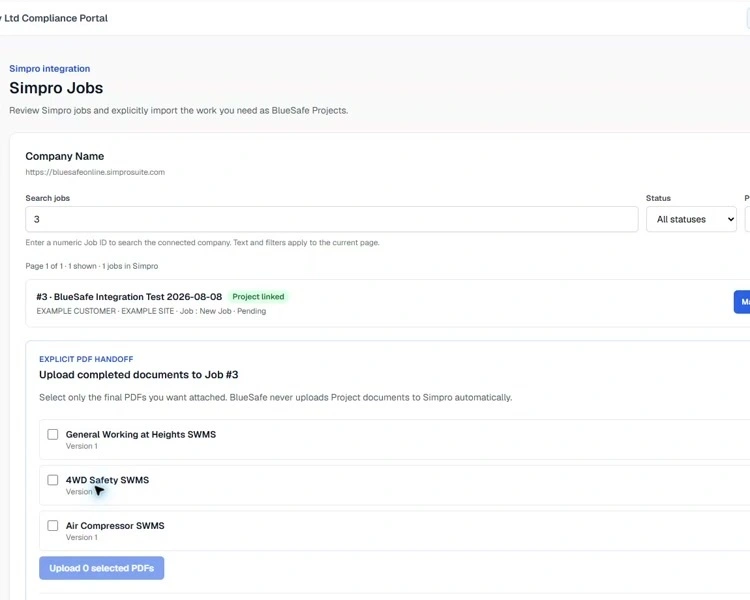
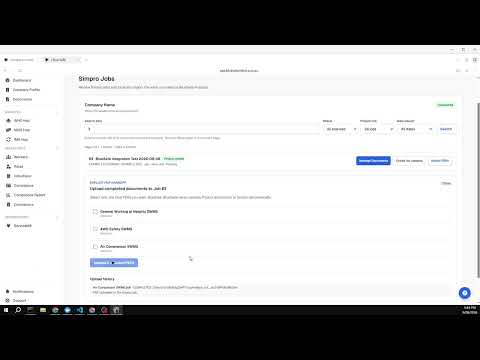
When a document is complete, an authorised user explicitly selects and uploads the PDF to the corresponding Simpro job. BlueSafe records the upload result and does not upload documents automatically without user confirmation.
The connection starts in BlueSafe, is authorised by a Simpro administrator, and supports both single-company and multi-company Simpro builds.
An authorised BlueSafe user selects the relevant Simpro job and imports its job, customer and site information into a linked BlueSafe project. The team can then prepare prefilled Safe Work Method Statements (SWMS), risk assessments, safety policies and other WHS documents in BlueSafe, and collect worker signatures digitally before completing the document.
When a document is complete, an authorised user explicitly selects and uploads the PDF to the corresponding Simpro job. BlueSafe records the upload result and does not upload documents automatically without user confirmation.
The connection starts in BlueSafe, is authorised by a Simpro administrator, and supports both single-company and multi-company Simpro builds.
Features
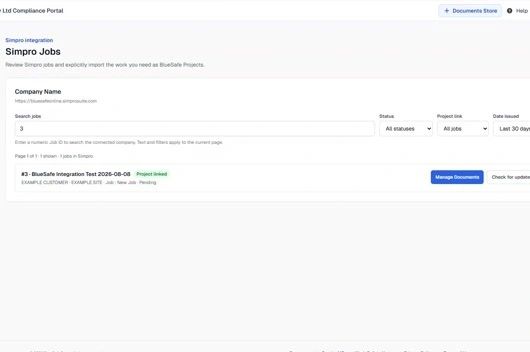
Import Simpro job, customer and site details
Select the relevant Simpro job and import its job, customer and site information into a linked BlueSafe project. Reduce repeated data entry and start with the right information already filled in.
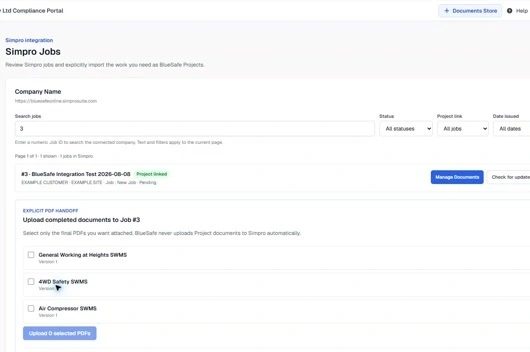
Create, sign and upload SWMS and risk assessments
Prepare Safe Work Method Statements (SWMS), risk assessments, safety policies and other WHS documents in BlueSafe, then collect worker signatures digitally. When ready, an authorised user explicitly selects the completed PDF and uploads it to the corresponding Simpro job.
Media
Integration Diagrams
BlueSafe project and prefilled documents
Simpro jobs, customers and sites
Completed digitally signed PDF
Corresponding Simpro job
Reviews
Pricing
Choose from two fixed-price BlueSafe WHS plans or an Enterprise option. The prices below are the current monthly list prices shown on the BlueSafe WHS pricing page. Yearly billing and current offers are also noted in each edition.
Simpro integration is available with paid WHS plans. Use the feature lists below to compare document allowances, workflows, worker limits, integrations and support, or visit https://app.bluesafeonline.com.au/pricing for the latest details.
Simpro integration is available with paid WHS plans. Use the feature lists below to compare document allowances, workflows, worker limits, integrations and support, or visit https://app.bluesafeonline.com.au/pricing for the latest details.
Compliance Starter
AU$149per month
Build your WHS system faster with policies, procedures and field eForms configured to support safer day-to-day work.
- Bespoke Core WHS Management System & branding — 24 documents
- Master SWMS & SOP credits — 50 per year
- WHS field eForms
- Risk Management
- Incident & Hazard Management
- Consultation & Toolbox Talks
- Plant & Equipment Management
- Inspections & Audits
- Digital Signatures & Compliance Tracking
- Worker limit — up to 20
- Project-Based Safety Management
- Worker Compliance Monitoring & Reporting
- Worker Induction & Training Records
- Simpro Integration
Audit-Ready WHS System
AU$249per month
Prepare tender and audit evidence with a comprehensive WHS system, advanced permits, contractor management and a full audit trail.
- Bespoke Comprehensive WHS Management System & branding — 55+ documents
- Master SWMS & SOP credits — 100 per year
- WHS field eForms
- Risk Management
- Incident & Hazard Management
- Consultation & Toolbox Talks
- Plant & Equipment Management
- Inspections & Audits
- Training & Competency
- Emergency & Environmental Management
- Permit to Work Management
- Digital Signatures & Compliance Tracking
- Auditor View Access
- Worker limit — up to 50
- Project-Based Safety Management
- Worker Compliance Monitoring & Reporting
- Worker Induction & Training Records
- Worker Offline Field Pack for remote sites
- Contractor Management
- Simpro Integration
- ISO 45001 / CM3 readiness — audit-ready
* The pricing here is for display purposes only. You should contact the partner for the most up to date and correct pricing information. We do not take any responsibility for this pricing information, which is provided by our partners. Pricing last updated: 10 Aug, 2026 12:00AM
Resources
FAQ
BlueSafe can import relevant job, customer and site information from the Simpro company selected during connection. The information is used to prefill the linked BlueSafe project and reduce repeated data entry.
Depending on your BlueSafe plan, you can prepare Safe Work Method Statements (SWMS), risk assessments, safety policies and other WHS documents. Imported Simpro information helps prefill the relevant job details.
An authorised BlueSafe user selects the completed PDF and confirms the upload to the corresponding Simpro job. BlueSafe does not automatically upload documents without that confirmation.
A BlueSafe organisation administrator starts the connection from BlueSafe. A Simpro administrator must sign in and authorise access. Multi-company Simpro builds are supported by selecting the company to connect.
Yes. Workers can digitally sign relevant BlueSafe documents before the completed PDF is uploaded to the corresponding Simpro job.