
1SiteSync WhatsApp Integration
Stop chasing site updates across WhatsApp groups. 1SiteSync automatically saves new messages, photos and files to your Simpro jobs, so your office can find what happened on site without copying information or asking your crew to send it again. Your team keeps using WhatsApp.
Description
WhatsApp integration for Simpro
1SiteSync brings the updates your team shares in WhatsApp into Simpro. Keep site photos, messages, documents and voice notes with the jobs they belong to, without manually copying information between apps.
1SiteSync helps your site teams and office stay connected. Your crew continues using WhatsApp, while your office can find their updates in Simpro.
Less chasing. Less copying.
When job updates are spread across WhatsApp groups, finding the right photo or checking what happened on site takes time.
1SiteSync automatically saves new messages and supported files from connected WhatsApp groups to the selected Simpro job. Your office can review updates without asking someone to forward them or upload the same files again.
Keep site photos and job documents together
Save the information your team shares during the job:
- Messages: Progress updates, site observations and other job conversations.
- Photos and videos: Visual records of work shared from site.
- Documents: Files your team needs to keep with the job.
- Voice notes: Spoken updates from crew members.
Several WhatsApp groups. One Simpro job.
Your crew and subcontractors may use separate WhatsApp groups for the same job. Connect those groups to one Simpro job so their updates are available together.
Each group connects to one job, helping keep information with the work it belongs to.
Keep working the way your team already works
Your site team can continue sharing updates in WhatsApp without learning another app or entering the same information twice. Your office keeps using Simpro to manage the job, with site updates available alongside it.
Simple to get started
- Connect your WhatsApp and Simpro accounts.
- Choose a WhatsApp group and its existing Simpro job.
- New messages and supported files are saved automatically.
You control which groups are connected. Sync starts from the time of connection.
Features
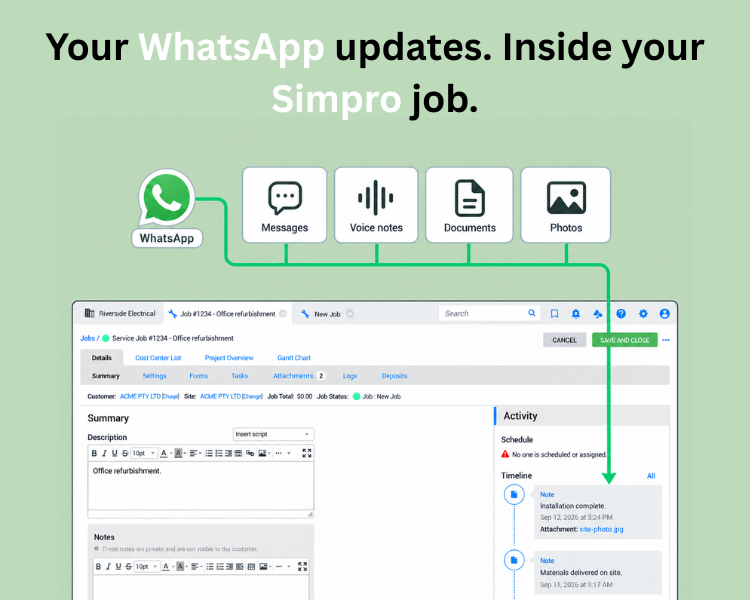
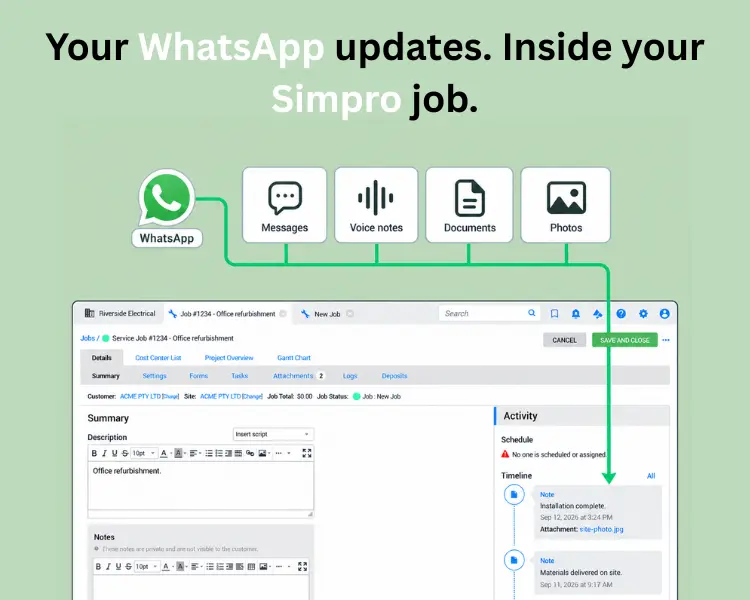
Save WhatsApp updates to the job
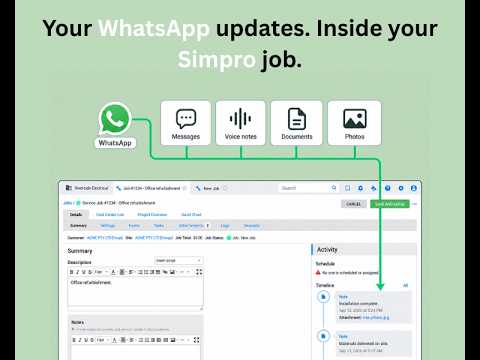
New messages from your connected WhatsApp groups appear as private notes on the selected Simpro job, with sender and time details. Your office can find site updates without asking the crew to send them again.
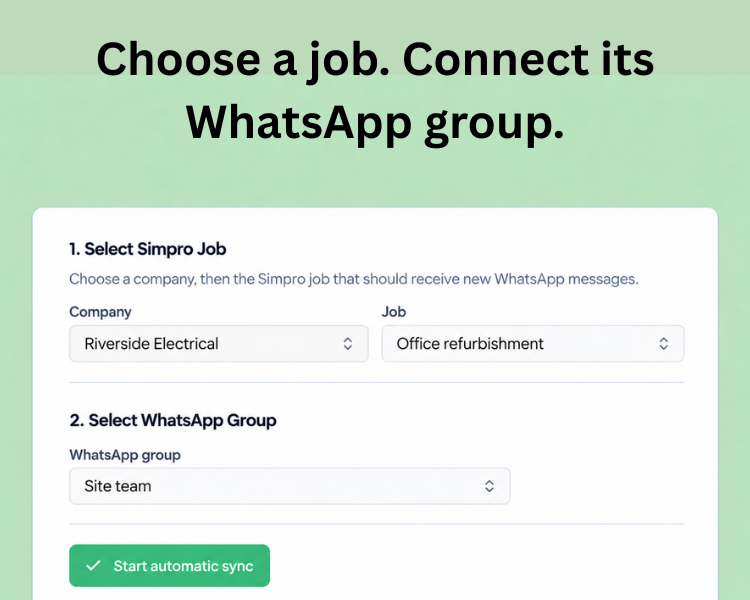
Connect several groups to one job
Your site crew and subcontractors can use separate WhatsApp groups while their updates go to the same Simpro job. Choose the job for each group during setup.
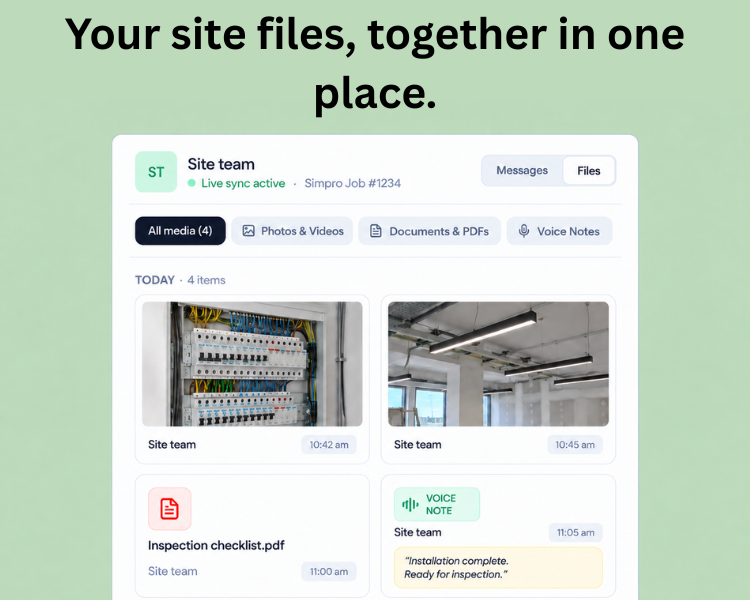
Find your site photos and files
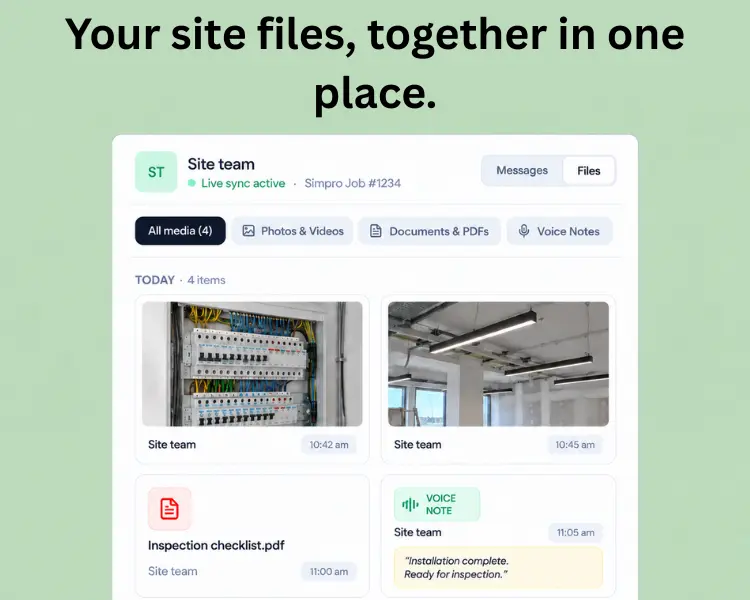
Browse the photos, videos, documents and voice notes shared in a connected group. Filter by file type to find an installation photo or inspection checklist without scrolling through the conversation.
Media
Reviews
Pricing
Standard
US$99/month
Connect your WhatsApp site groups to Simpro and keep new updates and files with the right job.
- One connected WhatsApp account
- Up to 10 actively syncing groups
- Several groups can connect to the same Simpro job
- Private job notes and supported file attachments
- Browse shared photos, documents and voice notes
- WhatsApp and email support
* The pricing here is for display purposes only. You should contact the partner for the most up to date and correct pricing information. We do not take any responsibility for this pricing information, which is provided by our partners. Pricing last updated: 12 Sep, 2026 12:00AM
Resources

FAQ
Yes. Several WhatsApp groups can connect to the same Simpro job. Your site crew and subcontractors can keep separate groups while their updates are saved to one job. Each group connects to one job at a time.
No. Your crew keeps using WhatsApp. The person setting up 1SiteSync connects the accounts and chooses which groups belong to which Simpro jobs.
You need access to your Simpro account and the jobs you want to connect, plus a WhatsApp account that belongs to the relevant groups. Connect both accounts in 1SiteSync, then select a job and a WhatsApp group.
New messages become private job notes with sender and time details. Supported photos, videos, documents and voice notes are saved as job attachments.
Open the connected Simpro job. Messages appear as notes in its activity timeline, and uploaded files appear in the job’s attachments.
1SiteSync creates notes with customer visibility turned off. People with the appropriate access inside your Simpro account can still view them.
No. Sync starts with new activity after you connect a group. Earlier conversations are not imported.
No. Only the groups you select and connect to a Simpro job send updates to Simpro.
Yes. You can enable optional voice transcription in settings. Transcription uses a separate credit balance. Check important details against the recording, especially names, measurements and instructions.
No. This workflow saves WhatsApp updates to Simpro. It does not automatically send Simpro job changes back to WhatsApp. Contact us if you need a custom workflow in the other direction.
No. You choose an existing Simpro job. The integration adds notes and files; it does not create jobs or change invoices and quotes.
Yes. Open the connected group in 1SiteSync and select Stop sync to stop sending new updates to its Simpro job.
Yes, we can help with a custom WhatsApp agent for your team. Message us on WhatsApp and tell us what you’d like it to do.
Reach out to us on WhatsApp. Tell us what you’re trying to do and which tools you use. We’ll work through it with you.
Message us on WhatsApp or email [email protected]. Whether you’re getting started or something isn’t working, we’re happy to help.